
Smart Home AutomationArticle
Zigbee or Wi-Fi for your smart home? A direct answer for Sri Lankan houses
By DIGIMAX Team · 22 April 2026
By DIGIMAX Team · 22 April 2026
If you are designing a smart home in Sri Lanka in 2026, the protocol question comes up before the products do. Zigbee, Wi-Fi, Matter, Bluetooth, Z-Wave. This is the article we wish existed when our team started installing systems. We will give you the answer first, then the reasoning, so you can decide whether to take our word for it or work through the logic yourself.
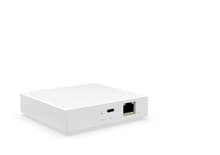
For a typical Sri Lankan house, default to Zigbee for everything except cameras. Use Wi-Fi for cameras, doorbells, and the gateway uplink. Pick a gateway that also speaks Matter, so you can mix in Matter devices later without throwing the system out. Use Bluetooth only for one-off devices that do not need to be in the main automation, like an irrigation valve at the edge of the garden.
That is the recommendation for 80 percent of houses we walk into. The rest of the article explains when to break that rule.
Four reasons, in the order they matter on a real install.
A finished smart house has 40 to 80 devices on it. Lights, switches, sensors, sockets, locks. If every one of those is Wi-Fi, your router is now handling 80 extra IPs on top of phones, laptops, TVs and tablets. Domestic routers in Sri Lanka, including most ISP-supplied ones, start to drop devices around the 60 to 70 client mark. Zigbee runs on its own radio, so the router is only handling your gateway, your cameras and your real internet traffic.
A Zigbee device draws a fraction of the power a Wi-Fi device does, and rejoins the mesh in seconds when power returns. A Wi-Fi device has to negotiate with the router, get a new IP, talk back to its cloud. On a 3-bedroom Wi-Fi-only smart home in a CEB area with frequent cuts, we have seen up to 4 minutes before all devices come back online after a 10-second cut. The Zigbee equivalent is usually under 30 seconds.
Sri Lankan houses are mostly brick and concrete, often with a small interior courtyard or two. Wi-Fi loses 30 to 40 percent of signal strength through each concrete wall. Zigbee, because every mains-powered device acts as a repeater, builds a stronger mesh as you add more devices. A Zigbee smart home gets better as it grows. A Wi-Fi smart home gets worse.
A battery Zigbee door sensor runs for 2 to 3 years on a coin cell. The Wi-Fi equivalent runs for 3 to 6 months. The difference is the radio. If you put four motion sensors and six door sensors in a house, the maintenance gap is real.
Cameras send video. Video is bandwidth-heavy. Zigbee does not have the bandwidth for it. Wi-Fi does. So every modern smart camera in this price range is Wi-Fi, and that is correct.
The catch: cameras hammer your Wi-Fi. A 4-camera setup with 4K recording can saturate a budget router by itself. Two practical rules:
Matter is not a replacement protocol, it is a translation layer. A Matter-certified bulb can be added to any Matter-certified hub regardless of brand. In practice, today, the Matter device library is smaller than the Zigbee one, and most of the cheaper devices are still Zigbee.
Our recommendation: buy a hub that speaks both Zigbee and Matter (this is a single product, not two). Fill the house with Zigbee devices now because the catalogue is broader and the prices are lower. When a specific Matter device you want shows up later, the same hub adds it without trouble. You get the best of both, with no upgrade path stress.
Every protocol has a cost. Zigbee's cost is two things:
You cannot use a Zigbee device without a gateway in the house. A Wi-Fi device, in theory, only needs the router. That is the marketing pitch for Wi-Fi-only smart homes. In practice, every serious system ends up with a hub anyway, because that is where local control, scenes and automations live. So the "need a hub" objection to Zigbee is real on day one, not real over a 5-year ownership.
A Zigbee device talks to the next one up to about 12 metres indoors. In a long single-storey house, you sometimes need a Zigbee signal repeater plugged in halfway down the corridor. They are cheap, around LKR 4,500, and you usually find out you need one within the first week.
When the router restarts, every Wi-Fi device drops, then renegotiates. A Zigbee mesh is unaffected by a router restart. If your house has frequent router resets, voltage fluctuation, or you swap ISPs, Wi-Fi devices feel less reliable for reasons that are nothing to do with the devices themselves.
Wi-Fi devices typically ship with their own app and their own cloud account. Build a house with 4 Wi-Fi brands and you have 4 apps, 4 logins, and 4 separate firmware update schedules. Zigbee devices, because they have to talk through the gateway, are usually controlled through the gateway's app, regardless of who made them.
We installed the same 3-bedroom house twice in 2025 and 2026. Same family, same brief, just an upgrade.
2024, the Wi-Fi-only version. 22 Wi-Fi devices on a stock ISP router. Average response time from app tap to light on: 1.4 seconds. Average recovery from a power cut: 2 minutes 40 seconds. Number of times in 6 months the family said "the smart home is not working": 11.
2026, after we rebuilt with a Zigbee mesh and a Matter+Zigbee wired gateway. 38 devices, 32 Zigbee, 4 Wi-Fi cameras, 2 Wi-Fi sockets that the family already owned. Average tap-to-on: 0.3 seconds. Average recovery from a power cut: 24 seconds. Number of "not working" calls in the next 6 months: 1, and it was a flat door-sensor battery.
That is the difference. It is not magic. It is the radio.
Zigbee 3.0 has been the standard since 2016 and is not going anywhere. Devices we installed in 2019 still work without any issue. Even if a new revision arrives, devices on the current spec keep working with their existing hubs.
Yes, if the hub supports them. Most modern gateways accept Zigbee devices regardless of brand using the standard Zigbee 3.0 profile. Niche or older devices sometimes need a brand-specific hub. Stick to one ecosystem for the first 80 percent of the house and you avoid this entirely.
It helps. Wi-Fi 6 handles more connected devices per access point than Wi-Fi 5. But the underlying power-draw and recovery-time issues are still there. Wi-Fi 7 in particular is not yet available on cheap smart devices anyway. The recommendation does not change in 2026.
Thread is a low-power mesh protocol like Zigbee, but built into Matter. It is showing up in newer devices. If you buy a Matter+Zigbee hub today, you usually get Thread support too, so this is not a separate decision to make right now.
No. Keep them. Add a Zigbee+Matter gateway, register the existing Wi-Fi devices to it through the brand integrations the gateway supports, and add new devices in Zigbee from then on. Most of our jobs in 2026 are mixed installs of this kind.
If you want help picking the protocol stack for your specific house, talk to a specialist. Send us a floor plan and we will come back with the device list.
Tell us what you're planning. We'll help you spec the right products and get them installed.